Progress
How Delta measures progress: beating your proven best, estimated 1RM trends, weekly volume by muscle, PRs, and the honest recap.
Beating the logbook
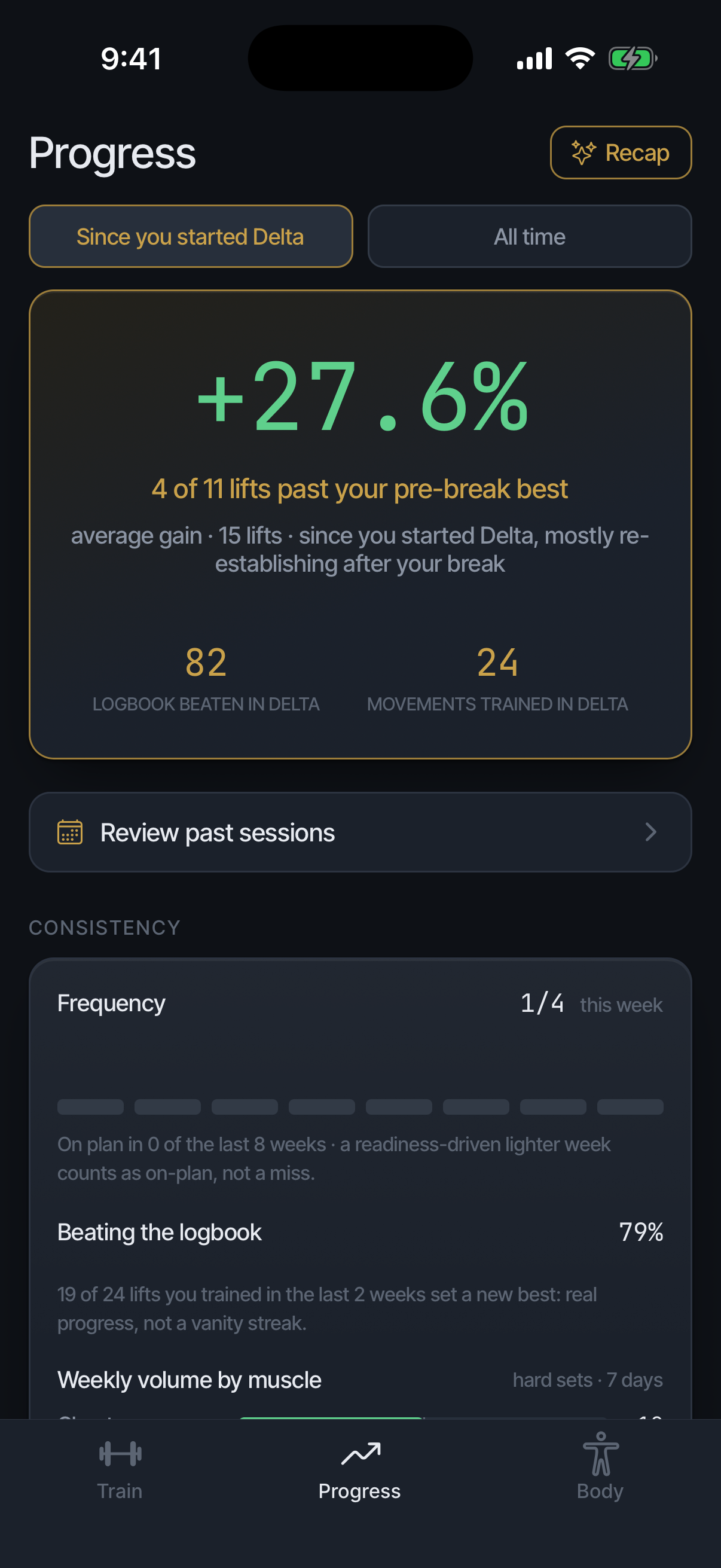
The real signal is beating what you already proved: more reps at the same load, or more load at comparable reps. A lift counts as progress only when it passes your proven best, never when a streak or a total merely grows.
Past your best vs still re-establishing
After a break, each lift with a pre-break best shows as either past it or still re-establishing, side by side, never averaged into one flattering number. "4 of 11" means exactly that.
The revelations card
A card near the top of Progress that renders only when something true and recent happened. Two kinds exist: a lift coming back to its pre-break best within the last week, or a prediction the app made about a heavy session checked against the next morning's readiness. When there is nothing to say, it says nothing; a quiet Progress tab means no news, not a broken card.
Nothing is required of you. It shows only your own numbers, never a comparison with anyone else, and its text can be shared.
The consistency panel
An at-a-glance mirror above the lift lists showing three things: sessions this week against your program's target, with a bar per week going back; how often you beat your previous best on lifts trained recently (held lifts excluded); and hard sets per muscle this week.
It is a mirror, not an instruction; nothing in it tells you to change anything. With no history it does not disappear: it names the three things it will show and builds as you log.
Estimated 1RM
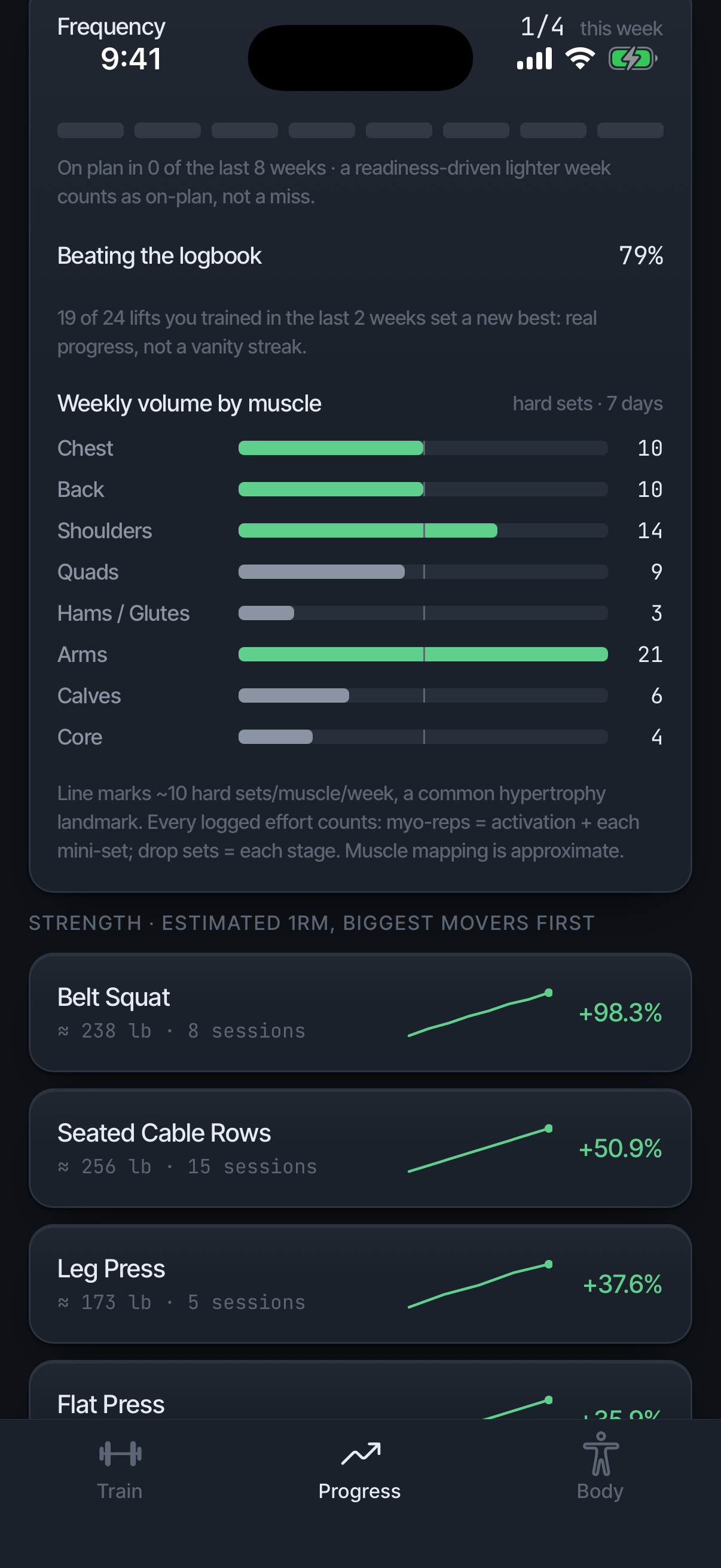
The e1RM chart estimates one-rep strength from your working sets. Read the trend, not a single point; a grindy day bends the line without meaning anything. The Since you started Delta and All time chips at the top of Progress frame every number on the tab, this chart included; they appear once a session logged in Delta exists.
Weekly volume by muscle
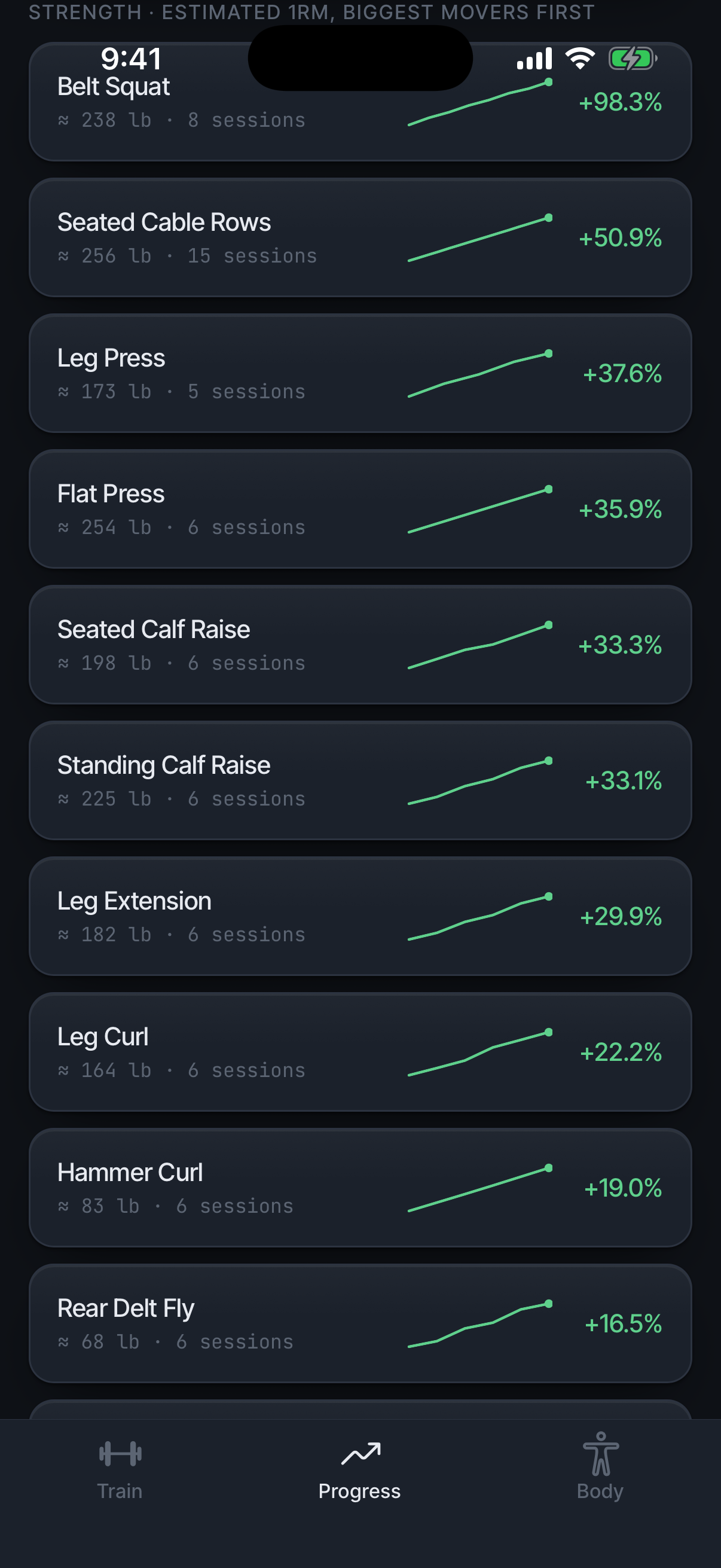
Hard sets per muscle per week, against a landmark line at roughly 10, a common hypertrophy landmark. Counting rules: a myo-rep block counts its activation set plus mini-sets as hard sets earned, and a drop set counts once per load drop. Isolation and myo totals are broken out separately.
PRs and new territory
A PR is a load-and-reps combination you have never beaten. New territory is a load you have never handled at all. Both are called out in the session read and collected in Progress.
The Recap
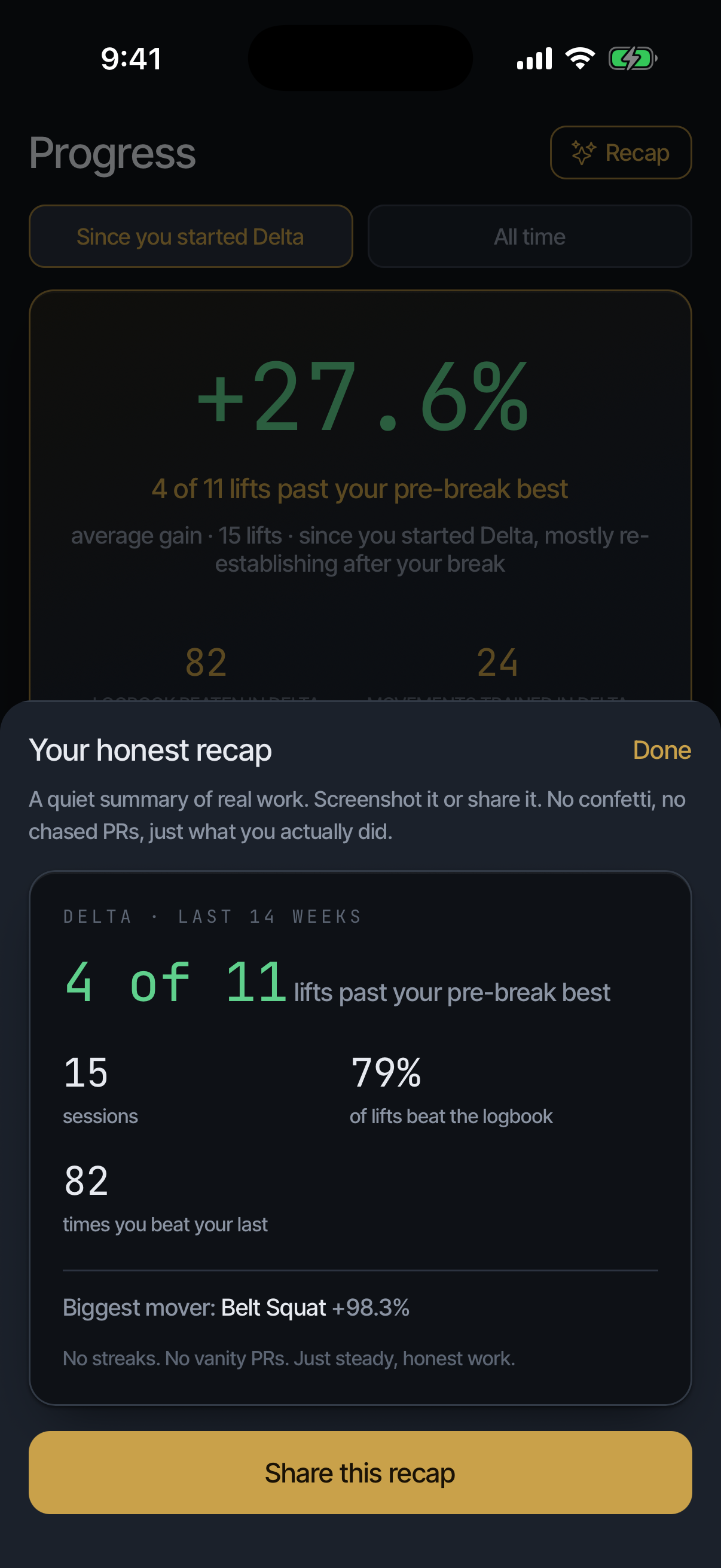
Eight weeks of real work in one card: sessions, the share of lifts past their best, the biggest mover. A quiet summary of real work. Screenshot it or share it from the card.
Session history
Every saved session: date, exercises, duration, PRs. Tap any session to reopen the full set-by-set record. History is also editable after the fact from the session's edit screen.
A session's detail also shows the day's total weight moved with a vs your usual percentage: logged-work arithmetic, descriptive, never a target. "Usual" is a median of your recent sessions, a shorter window than the word suggests.
After an unusually heavy day, Delta stores a prediction and checks it against the next morning's readiness, reporting a miss as readily as a hit. The session note says Delta will check, not what tomorrow will be.
A session's page also shows vs previous [day], the change across the lifts you repeated, and Readiness at start, the score that governed it. Get Coach’s insights sends this session to Coach for a read; once one exists the button reads Ask Coach about this session.
Correct a session
Open the session from History and tap Edit. Change moves it to another date; Remove takes an exercise out; sets can be edited, removed with ×, or added with + add set; + Add exercise adds one you forgot. Save corrections writes it back and re-scores any PRs the change affects. Cancel leaves the session as it was.
Delete this session removes it from your logbook. Delta asks first, and History offers Undo afterwards. A workout already written to Apple Health stays there; Delta does not edit Health records.